Getting Started with Monash Hub as an Admin
Welcome to Monash hub, your all in one place to track work, manage projects and make sure that the things you need to get done, get done.
This document will walk you through how to interact with this application. The terminology that you will see in the application and other things.
Making an account
Admin accounts are pre-seeded by the developer for each organisation, talk to your supervisor to see who your allocated admin is. Admins have the ability to promote other users to the admin role.
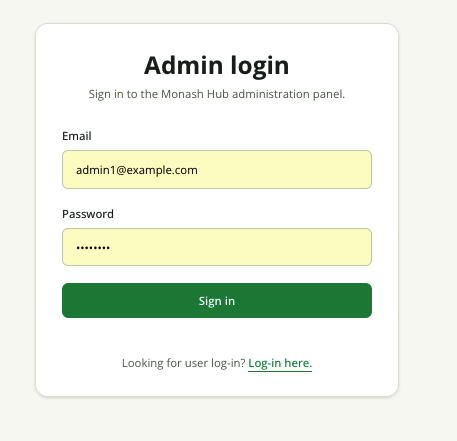
Sign into the Admin page by entering the correct details for your admin account.
Once you are signed in, you will see the following dashboard
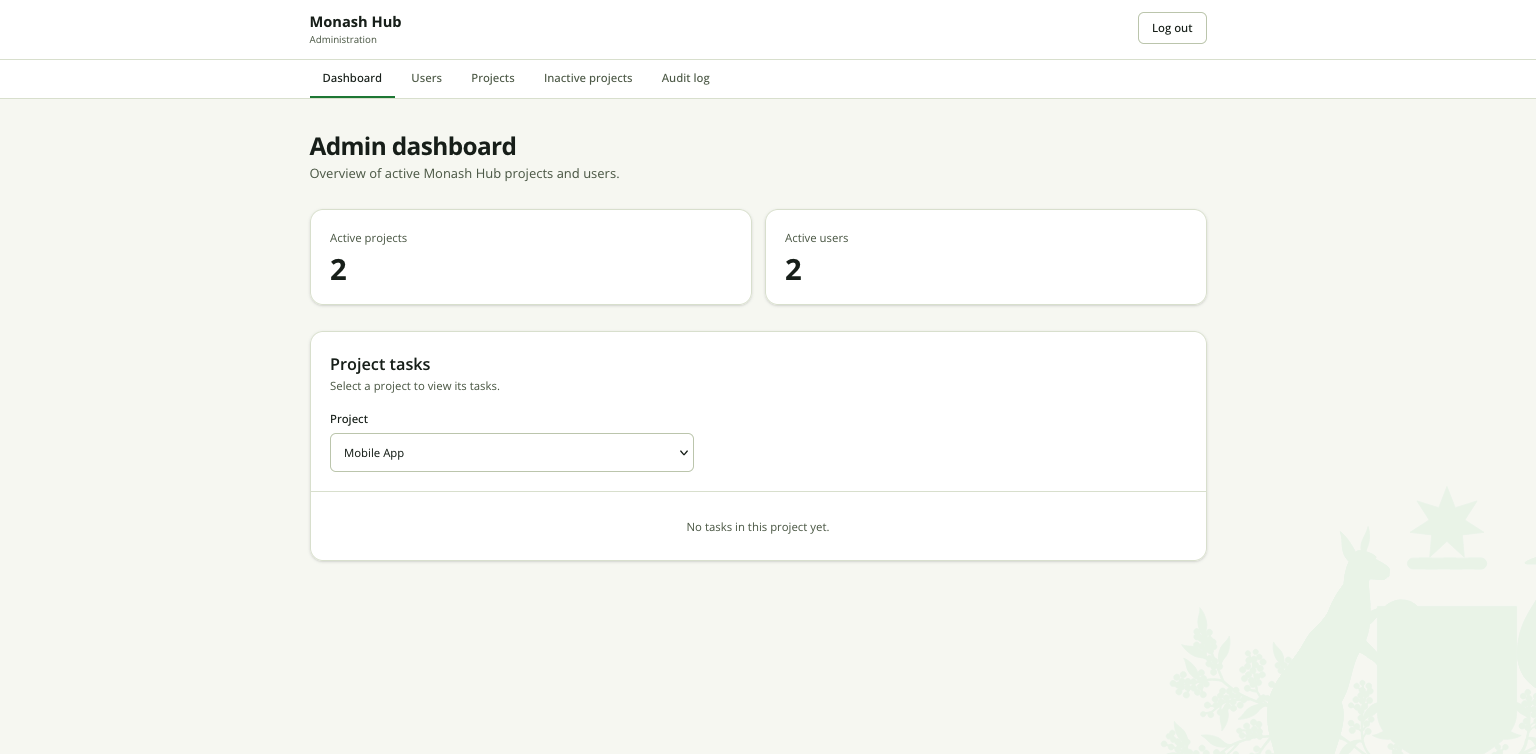
The dashboard lets you get an overview of the activity on the application. You can see what tasks are part of a project, and which users are currently active/inactive.
Users
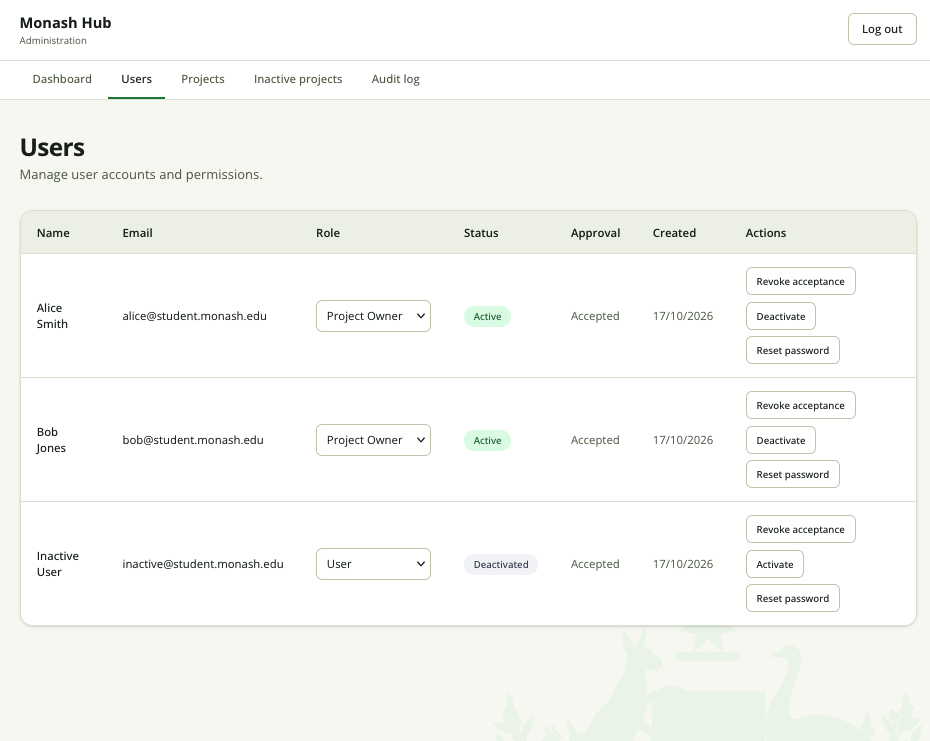
The Users pane lets you see all the users in your organisation and their
permissions. You can select what roles each user has, and other options such as
revoking their ability to use the application, deactivating their account or
resetting their password.
Projects
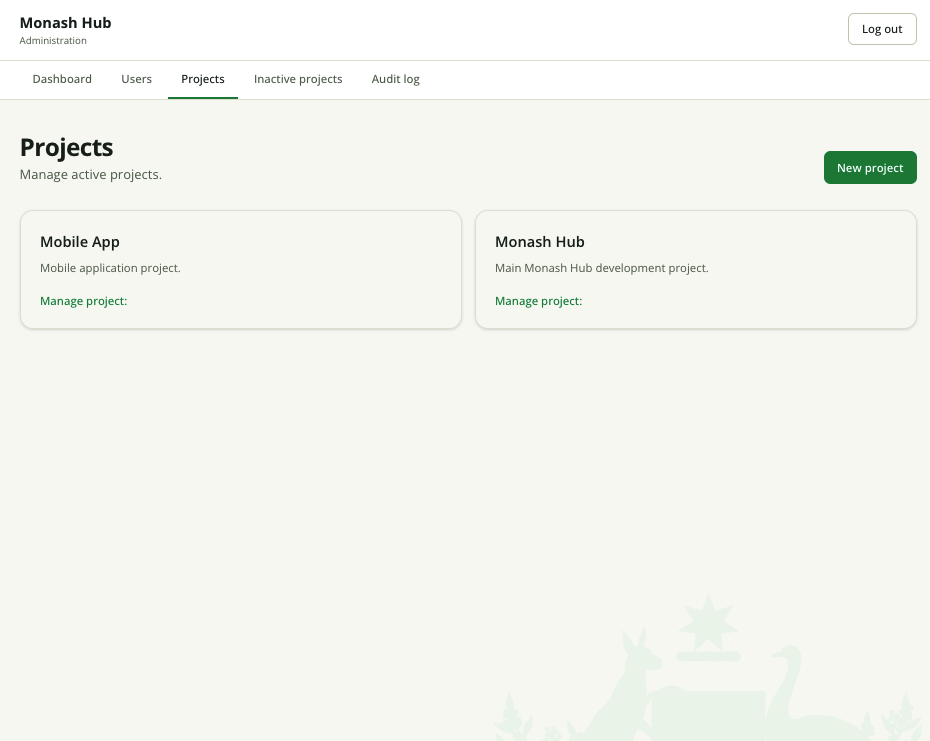 The projects pane lets you manage the
different projects that are active in your organisation. You can click on the
The projects pane lets you manage the
different projects that are active in your organisation. You can click on the
Manage project link in order to bring up the following modal:
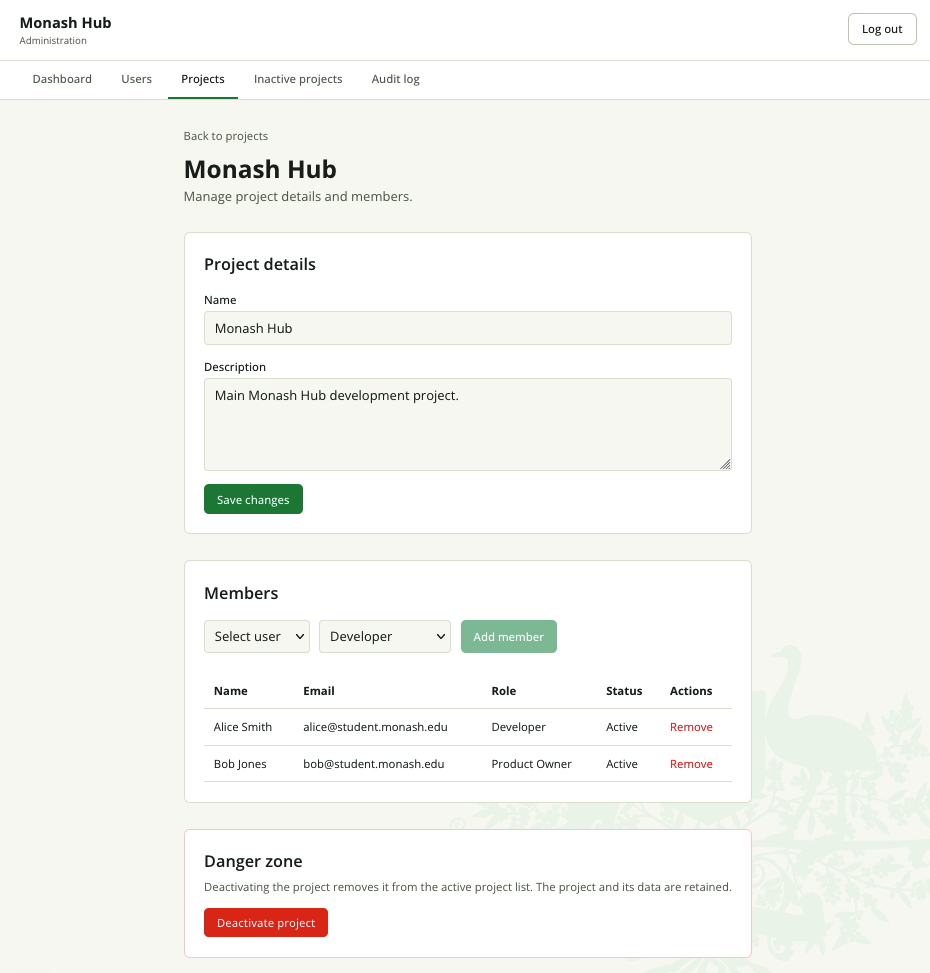
You can change the Name, Description and assigned Members of an exisiting project. You can also deactivate the project if it is not required anymore.
[!WARNING]
Deactivating a project will mean that users will be unable to see it in their dashboards. The data of the project will not be deleted from the database however. You cannot re-activate projects. They are left as read-only information.
Audit Log
The audit log gives you a real time log of the different activites that have been carried out by different users in your organisation. You can see things like:
- Logins
- Logouts
- Activations
- Deactivations
- Updates
- Deletes